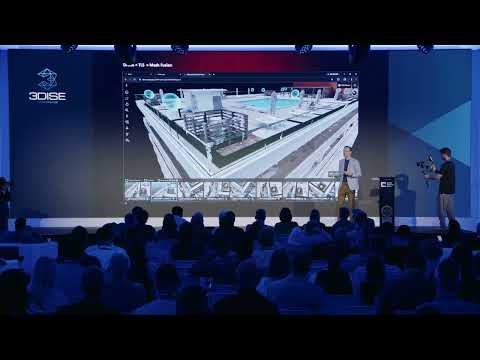

Kenny Nakamura of Sony introduces XYN, Sony's spatial capture solution that turns photos from Sony mirrorless cameras into photorealistic 3D Gaussian splats and clean meshes, with virtual production backdrops as the first focus. Through Himeji Castle, a Sony Music video shot across Hiroshima and a Honda motorcycle scan, Kenny walks through the guided capture app, the cloud reconstruction and the rendering tools that bring scenes onto an LED wall.
“In order to digitalize this, we don't, you don't need any drone, just only cameras and our cameras.”
“Our mesh is totally clean without any modifications or cleanup work. It's ready to use.”
“We try to democratize the, uh, you know, the step to create the Gaussians.”
According to Kenny, capture takes about 10 minutes and upload a few minutes; reconstruction takes less than an hour at standard quality and three to six hours for the highest quality.
Kenny said the Navi app currently needs an iPhone with lidar and works with certain recent Sony Alpha cameras, while the web reconstruction accepts images from any camera.
Kenny explained that capture is mainly from a single standpoint: AR markers guide 55 images per layer, two layers give 110 images, and a slight move adds depth so the camera can pan and zoom.
Transcribed automatically (ElevenLabs Scribe) and lightly edited. It may contain small errors. Click a time to play the video from there.
Host: Welcome.
Kenny Nakamura: Thank you. Can you hear me? It's okay? All right. Uh, hello everybody.
Kenny Nakamura: Good afternoon. So I'm from Sony, and under the Sony, we announced the new software product called XYN, pronounce XYN. XYN is integrated software and hardware solutions to support the creation of the spatial contents, uh, which we announced at the s- two, uh, CES two years ago. And, but I'm again, uh, Kenny Nakamura. I'm also, I'm under the Sony Electronics and the Manager of Product and Business Development.
Kenny Nakamura: And, uh, after this session, please come to the booth and I would like to connect with you all. So today, I would like to talk about these five things. And, uh, so I have a lot to cover today, so I'm gonna skip some of the slides and of the video, but I want to show you a couple video first to let you, uh, to let you understand what we're working on. Before that, uh, as a software XYN, we, lineup, we have a software and hardware lineups. Today, we're gonna focus on spatial capture solutions and the three pillars.
Kenny Nakamura: But we have a motion capture, uh, solutions and device, and also the spatial ready display, which is glasses 3D display you can see at our booth. Today, so we're gonna focus on spatial capture solutions. So this solutions use, you know, the mirrorless cameras, and also Sony Alpha, of course, and, uh, Sony's proprietary algorithm to create a high f- uh, you know, fo- quality photorealistic 3D assets, not just the splats or traditional mesh as well. So, you know, of course the use case, you know, we are seeing in a game, we have a PlayStation. We have virtual productions.
Kenny Nakamura: We have Sony Pictures. We're in the digital exhibitions industry. But as a day one, as a day one of the release, we focus on virtual productions. So first of all, I want you to see, take a look at the video.
Video: XYN.
Kenny Nakamura: So we try to capture, digitalize this Japanese beautiful castle and then use it for the virtual production backdrops. This is called Himeji Castle in the middle of Japan. In order to digitalize this, we don't, you don't need any drone, just only cameras and our cameras. So they're fun. So we developed the Navi app, called the Navi app, to help you capture the scenes properly without any background of photogrammetry or even cameras.
Kenny Nakamura: The AR marker shows you on the screens, and it lets you, uh, uh, ta- takes you to the positions that you need to capture. Once you capture this, and you can manage the files and beautifully, and uploads to the web applications. So please remember this real Japanese castle. So using just a single Sony cameras and a lens and the cameras, and it lets you scan 110 images of, for 110 at 80 degree, and upload the images to our ve- based applications. And the select algorithm get the creative button, that's it.
Kenny Nakamura: You don't necessarily to, to tweak any parameters. And then this is the 3D Gaussians. Look like a little bit... I can show you the more beautiful images out there, but this is pretty high photorealistic. And you can use for the virtual productions within a day.
Kenny Nakamura: As you can see, that this is a Japanese castle, the 3D Gaussians. Let's move on to the next video. And then this is another use case. Uh, we actually work with the Sony Music and create a music video using our Gaussian splat. So sorry, in Japanese, but I hope you guys understand what we're working on.
Kenny Nakamura: So we went to Hiroshima in Japan and they capture 11 locations in the same day. And then just capturing these 100 images of these scenes just takes 10 minutes. And then reconstructed the all scenes within a almost day. So there is studios and some locations, and it's high school, and a lot of locations in Japan. And Japanese train, of course.
Kenny Nakamura: And then the AR marker shows up on the screen, and all you need to do is just follow the guide. And then just about 100 images to create a 3D Gaussians, and this is the, the Gaussians splats for sure. And then digitalize it, and then display to the LED wall. In order to di- you know, display the large LED wall, we've also have, uh, the plugin for Unreal Engine, Disguise and Pixotope is already available. And then we actually shoot the music video with a famous Japanese artist and a musicians here, like this.
Kenny Nakamura: Right. Let's move on. So again, we currently really focus on virtual production backdrop creations. You know, creating the real f- from real locations to create a virtual production set. And then h- here's some of the, a sneak peek and example of 100 front-facing creation example.
Kenny Nakamura: It look like it's 2D photos, but actually a screenshot of 3D Gaussians that we generated. As you can see, even the far distance of each contents, like this is the top of Shibuya, you can see high fidelity of e- far, far distance as well. So within the, uh, but you know, virtual, uh, workflow, uh, in order to create the virtual backdrop, there is steps from capture to display. Uh, we created the three solutions from capture, and then generations, and display. For the capture side, it's called Spatial Scan Navi.
Kenny Nakamura: And then create generation spatial scans and a renderer. The Navi app is a smartphone application that supports the shooting, uh, spatial contents with the mirrorless cameras. The AR mark, the, you know, real-time shooting assistance with the AR navigations and the real-time vis- uh, preview, uh, visualize the s- uh, shooting status, and also to manage the images. When you upload, it's pretty easy and what you can understand where the images start a file and end. So this is a f- uh, kinda s- UI.
Kenny Nakamura: So within a f- uh, f- o- a iPhone Navi, so AR marker shows up, and then once you capture that, these hexes will disappear and then visualize where you captures. And also not just the scenes, but also there is the, uh, ob- for the object capture as well. So visualize and you can understand the where that for us and you can... You don't miss it with, with the visual help. And the spatial scan, this is where the magic happens.
Kenny Nakamura: A cloud-based application transform the real world into the 3D scenes. So the production create, uh, production cre- uh, quality assets creations and where you can generate at the, in a splats for, uh, splats and mesh object and for the front-facing scene generations. For this, let's, uh, take a look at from object scan. Of course, Spider-Man, you know, from Sony. Uh, we need to generate this assets and also the mesh as well.
Kenny Nakamura: So, uh, our mesh is really good at reproducing in a, you know, these scenes or details and also even a reflective surface or scene parts like this. Our mesh is totally clean without any modifications or cleanup work. It's ready to use. So we, as a use case study, we worked, uh, with the Honda and as a proof of concept project. So their challenge is, you know, they wanted to digitalize the legendary motorcycles and...
Kenny Nakamura: but they don't have 3D data because it's too old. So they don't have any CAD data, so there's no weight. So there is a issues for them. You have, they have to create it from scratch and then, but using traditional 2D photo, there's a lot of difficulties and takes m- a lot of time. So we scan this real bike and turn them into our mesh, and then they recreate it from scratch as well.
Kenny Nakamura: So as a user reference. But from the scan, as you take a look at it, you can see the details of the mesh of the bi- bike. Actually, it's usable for the project. For the front-facing scene, uh, what we know that this is an example of a high, you know, resolution reproductions of distant scenes. Take when you look at the left side in a far distance using the same input and same images, but we created really far distant, uh, you know, create a, recreated the far distance really well or reducing the floating noises like this.
Kenny Nakamura: And then this is very simple. We try to democratize the, uh, you know, the step to create the Gaussians. So all you need to do is just to create a project, upload the f- images and the select algorithm depending on the use case and then cr- hit the Create button. That's it. Just then wait, uh, one hours up to three hours depending on the quality you want and then everything happens here, like you can generate the splats and a mesh.
Kenny Nakamura: Uh, just to order for the prog- uh, lender program side, this is for more virtual productions. Uh, you know, it can be... This can be used at, uh... There's a couple features, for example, uh, of course, HDR support and naturally lighting and also the color collections and in creating bokeh. The main, this is a very basic functions for the virtual productions.
Kenny Nakamura: Like this, relighting and then... Oh, sorry, coming back and come back and the color collection as well. And, uh, at our booth, actually we also showcasing our prototype of this spatial scan editor. So this, uh, corrects the 3D Gaussian points, uh, orientations and also we have a ed- and you can remove the splats pretty easily, just select it. And also the composite tools.
Kenny Nakamura: You can add multiple 3D Gaussian splats and then also change the color of the each splats to blend them in. And also we have our spatial visual videographers. So adding the splats and then create some video movements easily. So AI can create some camera movements and also you can manually change the camera movements. So if you wanted to use, uh, create some video using the splats, this, uh, solution can let you create really easily, uh, video using the splats.
Kenny Nakamura: Again, so the plugin supports Unreal Engine, Disguise and Pixotope and, uh, also we have, uh, certainly virtual production teams and it works with them. And, uh, no... So we are owning the company where we built the hardware like an LED wall and also cinema cameras, Venice and also the camera, uh, motion, camera markerless cam- uh, tracking device called OCELLUS and also we have the software to create the virtual backgr- uh, virtual backdrops and then more to come. Okay, thank you for listening and, uh, I would like to discuss with you guys at our booth and please, uh, scan this, uh, QR code that takes you to the, our webpage to get more details. And, uh, there's, uh, some of the other comparisons and then those are the, you know, of the, our splats and the more informations.
Kenny Nakamura: Thank you.
Host: Okay. Thank you.
Kenny Nakamura: Kenny, thank you so much. Come join me at the center-
Host: Yep
Kenny Nakamura: of the stage. We've got a couple of questions.
Host: Mm-hmm.
Kenny Nakamura: And, uh, you were, you know, ahead of the time, so we've got plenty of time to actually tackle those.
Host: Yep.
Kenny Nakamura: Let's bring them up on screen, please.
Host: So, uh, let's start with the, with the first one. Uh, do you take the photos from a single standpoint or whilst moving around during the capturing pro- process? What limitations-
Kenny Nakamura: Mm-hmm
Host: does it have when moving laterally through the scene?
Kenny Nakamura: Yeah, so, uh, when we do capture, uh, actually we do from the single standpoint mainly, and then, uh, cap- so the arrow marker shows that, yeah, on, uh, the partitions of the cameras starting like this and then capturing 55 images, one layer.
Host: Yep.
Kenny Nakamura: And then two layers in total, so which ended up being capturing 110 images. So you're gonna move like this a little bit and then capturing tours-
Host: Mm-hmm
Kenny Nakamura: so that you can get the depths, so that when you do the virtual productions, you can pan the cameras until that, you know, the ray you captured and also zoom into it.
Host: Got it. Let's move on to the next one. Does it support any mobile device? If yes, which ones?
Kenny Nakamura: So currently we support on, uh, only, uh, Sony, uh, sorry, iPhones because with the LiDAR.
Host: Mm-hmm.
Kenny Nakamura: And uh, if you wanted to use a Navi app, uh, it works with only certain latest Sony Alpha cameras, but eventually we will try to support the more cameras and, uh, but at the point in terms of the mobile device, it has to have a LiDAR.
Host: Got it.
Kenny Nakamura: So currently an iPhone is the only one options. But, uh, just mention that, uh, for the web application side, the way the magic happens can support any images, so any- you can use any cameras.
Host: Got it. Thank you. Uh, what is the technical approach behind creating the mesh?
Kenny Nakamura: Yeah. So we have a, uh, uh, uh, d- uh, one property algorithms to create a really clean mesh. So we capture the c- even the car and, uh, the car has a lot of shiny surface, and also even the glasses. But, uh, uh, using our own property technology, uh, which I can't disclose, cannot disclose everything, but, uh, you know, our spri- you know, our meshes and also even the splats are using our own property technology to make it higher fidelity. And, uh, yeah, so they're also using the meshes, uh, definitely there is a secret sauce in it too.
Host: Mm-hmm. Perfect. Well, you showed us a project of scanning the, uh, Himeji Castle.
Kenny Nakamura: Mm-hmm.
Host: Uh, what was the most complicated project you worked on?
Kenny Nakamura: Yeah. So there's Seawheel's ca- you know, from the rooftop. Uh, at our booth I can show you the real sample we capture that from a rooftop at Seawheel. And then as you can see that later, uh, the slide that I showed you, the Seawheel ha- the, you know, has a lot of details and a lot of, you know, d- different shapes. So that was kinda a little difficult because on the limit of the certain area.
Kenny Nakamura: But, uh, thanks to the technology and the Navi apps to help me capture those complicated scenes. We even have never, never actually been scanning so much before I involved in this project, so that's helped me a lot.
Host: Cool. Um, how long does it take to combine all the individual images into a model?
Kenny Nakamura: Uh, so the capturing side just takes 10 minutes. Once you get it, you see it less than 10 minutes. And then, uh, upload takes, like, few minutes, uh, depending on net- uh, network connectivity. But the reconstruction side, um, if you, depending on algorithm that you choose, but, uh, if you are, uh, now, you know, okay, with the certain quality, less than an hour, but if you wanted to achieve the higher qualities, maybe three to up to six hours with the HDL contents.
Host: Got it. Let's take a one or two more and then we're gonna wrap it up.
Kenny Nakamura: Mm-hmm.
Host: So we're good, uh, with time. So what about generation of 3D models for critical infrastructure ins- uh, inspection with high level of details-
Kenny Nakamura: Mm-hmm
Host: a sub-millimeter of GSD to detect the cracks and defects?
Kenny Nakamura: Yeah. So, uh, we are seeing in this use case as well in the features order map, but, uh, you know, adding the more accuracy and with the LiDAR tech and, uh, 'cause w- our algorithm is fusion ready, so meaning that not just the RGB images, but also we can combine a LiDAR tech so that we can create that, uh, high, you know, accuracy in the features. But currently, uh, as I show as a day one, we really focus on virtual productions. That's, uh, totally the different use case, I believe.
Host: Awesome. And somebody wishes you good luck. That's so nice of you. Thank you.
Kenny Nakamura: Thanks so much.
Host: Let's give it up for Kenny.
Kenny Nakamura: Yeah. Thank you.
Host: Ladies and gentlemen.
Kenny Nakamura: Thanks so much.
Host: Kenny Nakamura.
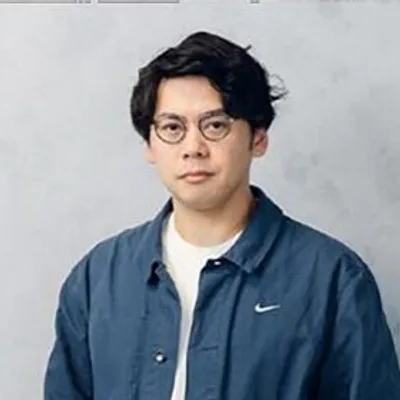

SONY Electronics - Manager of Product and Business Development in SD, CA
Kenny is a Product and Business Development Manager for XYN Spatial Capture Solutions, based in San Diego, California. I focus on expanding the adoption of spatial capture technologies across the U.S., particularly within the Virtual Production and VFX industries. My work centers on developing new…